v0.2.4 — streaming dedup and ignore patterns
The release where pinemere stopped being a prototype and started being a tool I actually rely on.

v0.2.4 is out. This one took about six weeks and touched almost every part of the codebase. The headline features are streaming transfers and .pineignore, but the change I'm most relieved about is the manifest migration.
Streaming transfers
Previous versions computed the full diff before sending anything. For a pool with 12,000 files, that meant waiting 8–15 seconds before the first byte left your machine, even if only three files had changed. The diff computation itself was fast, but the "nothing is happening" feeling during that window bothered me.
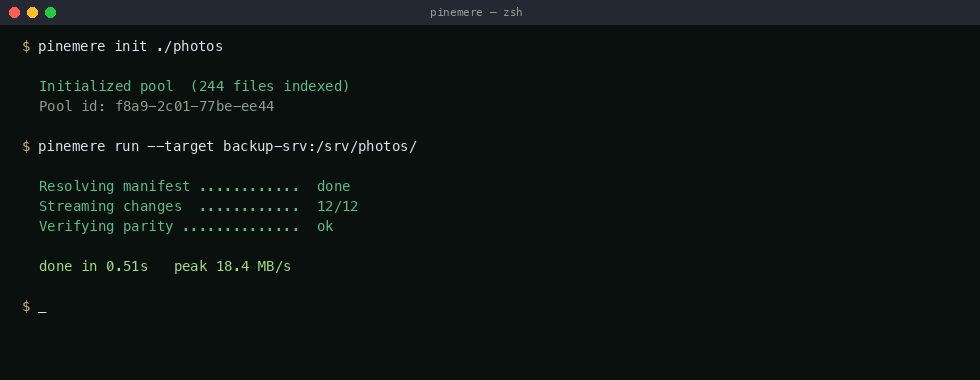
v0.2.4 interleaves diff computation with transfer. As soon as a block is identified as missing at the target, it enters the send queue. The diff scanner and the sender run as separate tokio tasks sharing a bounded channel (capacity: 256 blocks, ~16 MB at default block size). In practice, this means transfers start within 200–400ms of running pinemere run, regardless of pool size.
The tricky part was ordering. The target needs to reconstruct files from blocks, and blocks can arrive out of order relative to the file manifest. I ended up adding a sequence number to each block frame and having the target buffer up to 32 out-of-order blocks before flushing to disk. This adds ~2 MB of memory overhead on the receiver side, which felt acceptable.
.pineignore
Straightforward feature, surprisingly annoying to implement correctly. .pineignore lives at the pool root and uses gitignore-style glob patterns:
# thumbnails and caches
*.thumb
.DS_Store
__pycache__/

# raw editor temps
*.swp
*~

# large media we sync separately
*.iso
raw/
The glob matching uses the globset crate from BurntSushi (the same one powering ripgrep). Negation patterns (!important.iso) work as expected. Patterns are evaluated top-to-bottom, last match wins.
One gotcha: .pineignore only affects new indexing runs. Files that were already indexed before adding an ignore pattern stay in the manifest until you run pinemere prune. This is deliberate — I didn't want ignore patterns to silently delete blocks from the content store.
SQLite manifest
The old manifest was a custom binary format: a header, a sorted array of path→hash entries, and a block index at the end. It worked fine for reads but made incremental updates painful. Every change required rewriting the entire file, which for a 50,000-file pool meant touching ~18 MB of data on every sync.
The new manifest is a SQLite database with two tables: files (path, mtime, size, root_hash) and blocks (hash, offset, length, refcount). Incremental updates are now row-level inserts and deletes. pinemere stat went from a custom binary parser to a SELECT count(*), sum(size) FROM files.
Migration is automatic on first run — pinemere detects the old binary header and converts in place. The process takes about 2 seconds for a 50K-file pool. The old manifest is renamed to .pinemere/manifest.v1.bak in case something goes wrong.
Breaking changes
The manifest migration is one-way. After upgrading to v0.2.4, you cannot downgrade to v0.1.x without re-initializing the pool. If you're running pinemere on multiple machines against the same target, upgrade all of them before the next sync.
The default block size changed from 128 KB to 64 KB. Existing pools keep their original block size (stored in the manifest header). New pools get 64 KB. You can override this with pinemere init --block-size 128k if you prefer the old behavior. The 64 KB default gives better dedup ratios on mixed workloads (documents + photos + code) at the cost of slightly more metadata overhead.
What's next
v0.3.0 will focus on the protocol layer. Right now pinemere shells out to SSH for transport, which works but adds latency on connection setup and doesn't allow multiplexing. I'm working on a native protocol that can run over any TCP connection (or Unix socket for local targets). Early benchmarks show a 15–20% throughput improvement on high-latency links.
Full changelog is on the changelog page. Binary downloads on the install page.