Installation
Get pinemere v0.2.4 on your machine.
Quick install (recommended)
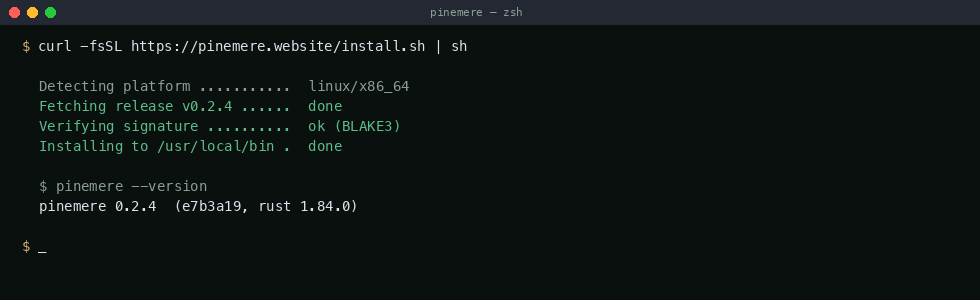
The install script detects your platform, downloads the correct binary, verifies it with BLAKE3, and places it in /usr/local/bin:
curl -fsSL https://pinemere.website/install.sh | shSupported platforms:
linux/x86_64— glibc 2.17+ (Ubuntu 18.04+, Debian 10+, RHEL 7+)linux/aarch64— glibc 2.17+ (Raspberry Pi 4+, AWS Graviton)darwin/arm64— macOS 13+ (Apple Silicon)darwin/x86_64— macOS 12+ (Intel)
Manual download
If you prefer not to pipe to shell, download the binary directly:
# Linux x86_64
curl -LO https://pinemere.website/releases/v0.2.4/pinemere-0.2.4-linux-x86_64.tar.gz
tar xzf pinemere-0.2.4-linux-x86_64.tar.gz
sudo mv pinemere /usr/local/bin/

# macOS arm64
curl -LO https://pinemere.website/releases/v0.2.4/pinemere-0.2.4-darwin-arm64.tar.gz
tar xzf pinemere-0.2.4-darwin-arm64.tar.gz
sudo mv pinemere /usr/local/bin/
Verify installation
$ pinemere --version
pinemere 0.2.4  (e7b3a19, rust 1.84.0)
Build from source
Requires Rust 1.80+ and a C compiler (for the SQLite bundled build):
git clone https://github.com/pinemere/pinemere.git
cd pinemere
cargo build --release
sudo cp target/release/pinemere /usr/local/bin/
Uninstall
sudo rm /usr/local/bin/pinemerePool data lives inside each initialized directory's .pinemere/ folder. Remove those to fully clean up.
Next steps
Once installed, head to the documentation overview for a quick walkthrough of initializing your first pool.